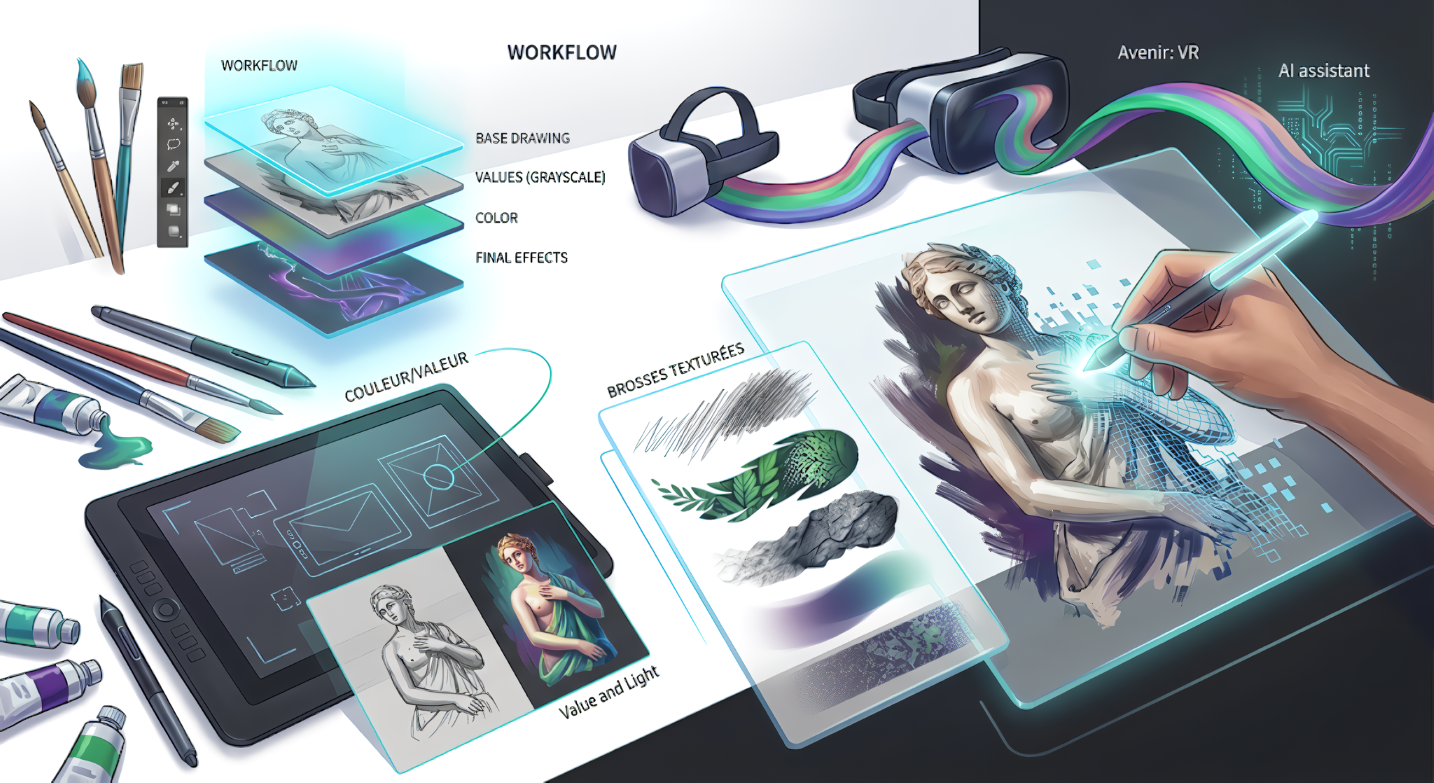
From pen to stylus, discover how technology has transformed the blank canvas into a universe of infinite possibilities.
Digital painting is no longer the “little cousin” of oil painting. It is a discipline in its own right that demands as much technical rigor as artistic sensitivity. Whether you are a professional illustrator or a curious amateur, understanding the inner workings of this digital art is the key to unlocking your creativity without the physical constraints of the material world.
1. The Tech Arsenal: Choosing Your Weapons
The debate rages on in studios: Pen display or opaque tablet? Your choice of hardware defines your direct relationship with the artwork.
Pen Displays
Offer natural eye-hand coordination. Ideal for those transitioning from traditional media. Leading brands: Wacom Cintiq, Huion Kamvas.
Pen Tablets (Non-Screen)
Better for back ergonomics (you look straight ahead at the monitor) and much more affordable. Requires time to adapt to “aiming” correctly.
2. The Software Ecosystem
In 2026, the choice of software depends on your preferred style:
| Software | Key Strengths | Ideal Use |
|---|---|---|
| Adobe Photoshop | Raw power, photo retouching, unlimited brushes. | Pro Industry / Concept Art |
| Procreate | Ultra-intuitive iPad interface, record-breaking fluidity. | Mobility / Illustration |
| Krita (Free) | Open source, animation tools, brush stabilizers. | Beginners / Freelancers |
3. Core Concepts
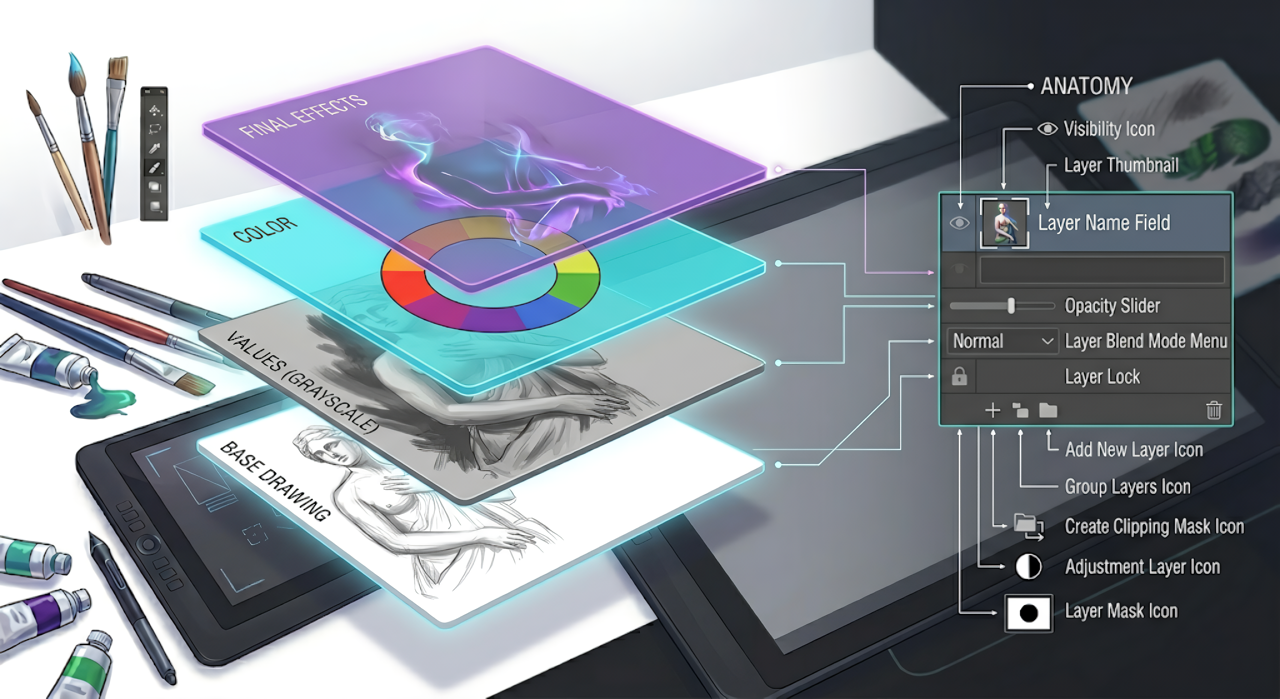
Non-Destructive Workflow
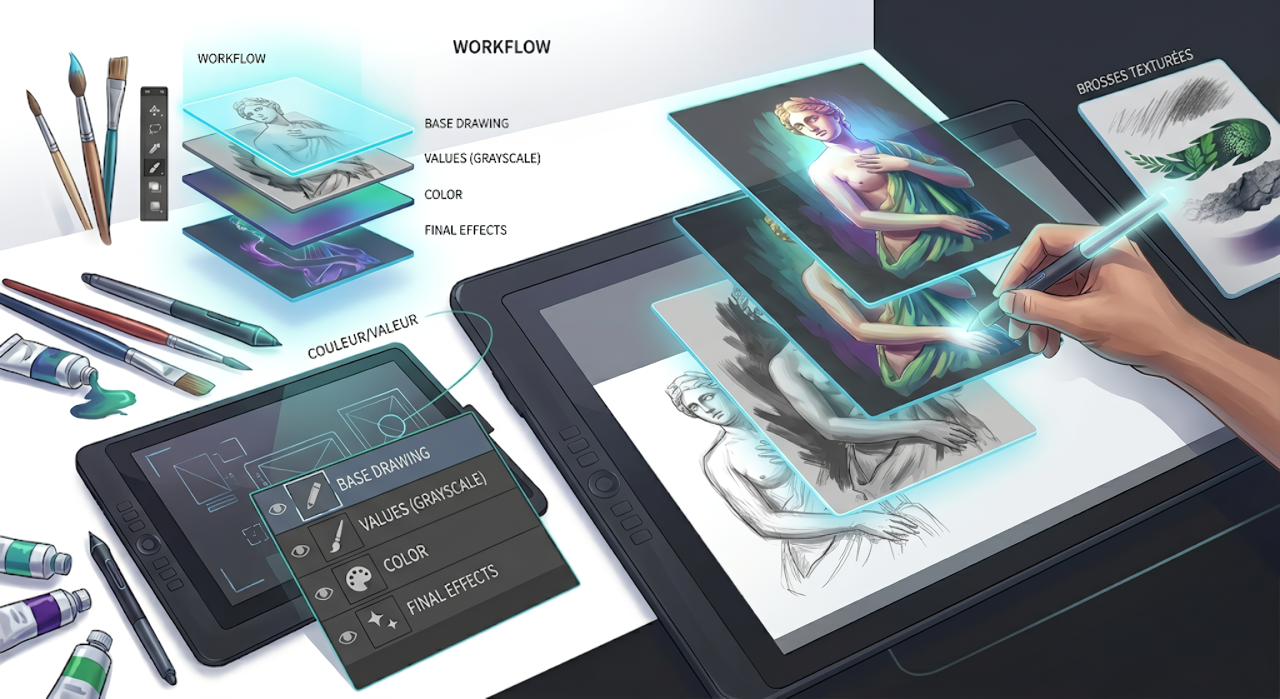
This is where the digital artist gains their superpower. Thanks to layers and layer masks, you can modify a shadow or change the color of a garment without ever touching your original drawing.
Managing Light and Values
In digital painting, we often start in grayscale (values) before adding color. Why? Because value defines structure and depth. If your values are correct, any color will work.
“Color gets all the credit, but value does all the work.”
4. Brushes and Textures: The Digital Touch
Contrary to popular belief, using textured brushes isn’t “cheating.” It’s using optimized tools to save time.
Hard Brushes: For sharp outlines and mechanical structures.
Soft Brushes: For skin gradients and misty atmospheres.
Textured Brushes: To simulate paper grain, foliage, or rock.
The Future: AI and VR
We are entering an era where artificial intelligence becomes an assistant (reference generation, automatic colorization) and where Virtual Reality allows you to paint inside your work in 3D. Digital art is no longer just a flat surface; it’s an immersive experience.




